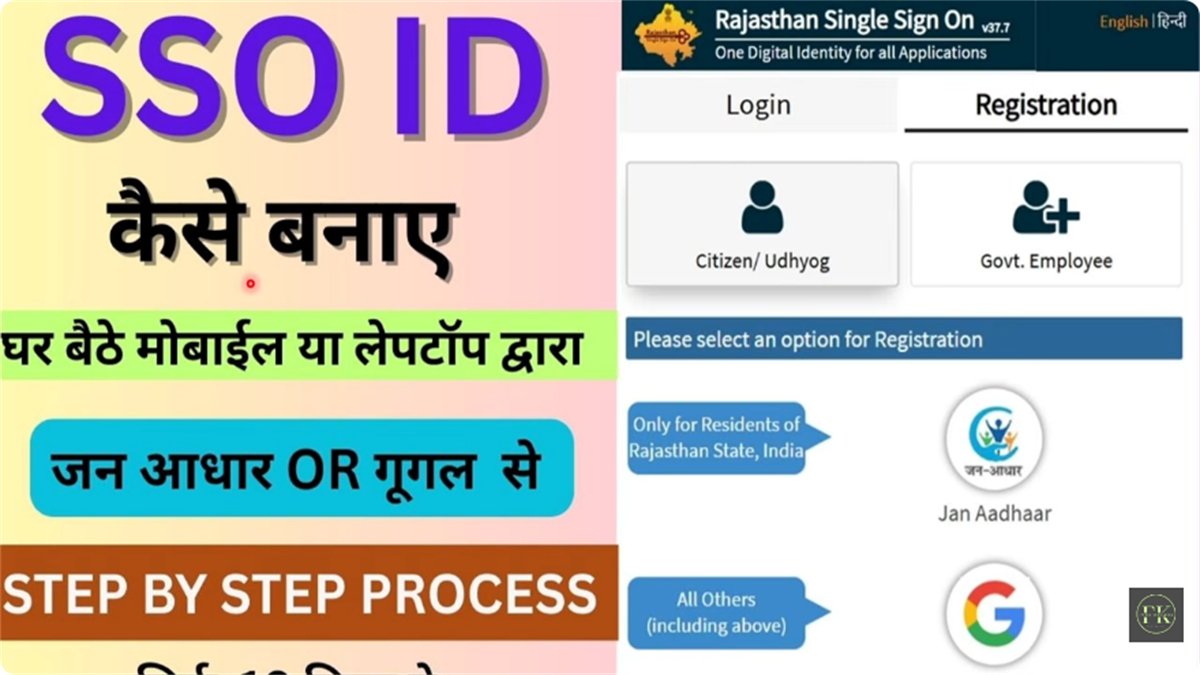
Registration is free and takes under five minutes. This guide covers every method, the full 6-step flow, and the exact username and password rules that stop most people getting stuck.
Your options depend on who you are. Rajasthan residents should start with Jan Aadhaar for instant access to scholarships and recruitment.
For Rajasthan residents. Auto-links your family record and unlocks scholarships and recruitment immediately.
RecommendedFor anyone, including out-of-state candidates who need an ID for RPSC / RSSB exams.
Government staff register with SIPF number and password (default: DOB as DDMMYYYY).
Business owners register using a Business Register Number or Udyog Aadhaar.

Go to sso.rajasthan.gov.in and click the Registration tab. Confirm the URL starts with https://.
Citizen (residents, students, farmers), Udyog (business owners), or Govt. Employee (state staff).
Citizens can use Jan Aadhaar, Aadhaar, Google, or Facebook. Pick Jan Aadhaar if you live in Rajasthan.
Verify the OTP sent to your mobile, then pick a unique username. It cannot be changed later.
Follow the password rules below, confirm it twice, and add your email address.
A success message appears and your SSO ID is sent by SMS and email. Save it somewhere safe.
This is where most registrations fail. Follow these exactly.
ramesh.sharma2026123| Issue | Solution |
|---|---|
| OTP not received | Ensure your mobile is linked to Aadhaar / Jan Aadhaar. Check DND and retry after 2 minutes. |
| "Mobile number already exists" | Your number is tied to an existing ID. Use Forgot SSO ID to recover it, don't make a new one. |
| "ID already exists" | You may have registered before. Recover the old ID instead of duplicating. |
| Jan Aadhaar member not showing | Your name may not be in the family list yet. Update it at an e-Mitra centre first. |
Registration and recruitment forms need a correctly sized photo. Prep it here before you start, all on your device.
Yes. Anyone can create an SSO ID using a Google/Gmail account. Out-of-state candidates need one for RPSC/RSSB jobs and are treated as General category.
No official age limit. Students usually create one from Grade 6 onwards. Children under 18 may need a parent's help for OTP verification.
No. The username is permanent once set, so pick it carefully. Your name plus a number is the safest choice.
Don't register again, you'll create a duplicate. Recover your existing ID by sending "RJ SSO" to 9223166166, or via the login page. See recovery.